Covers Manual 1 pp. 48–52.
Field Edit#
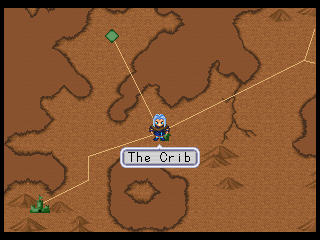
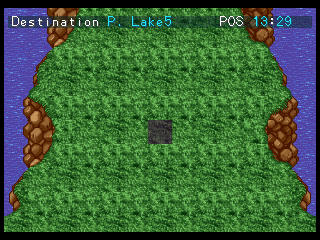
The field is RPG Maker's world map: a parchment-coloured map of land and sea with towns on it, joined by paths. The party doesn't walk across it step by step. It stands on a town, and the player points at another town to travel there along a path, or to fly there by Blimp. Field Edit draws these maps, places the towns, says where each one leads, and lays the paths between them. A game has up to eight.
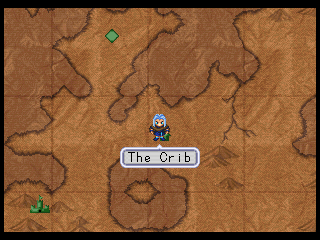
The world map and its parts#
A field map is 1,536 pixels square, about five screens each way, built on a grid of 16 × 16 parts. A part is a square of 4 × 4 tiles, 96 pixels a side: a stretch of coast, a mountain range, a river bend, a forest edge. You draw a map by putting parts in the grid's cells. There are 252 parts, numbered 0 to 251; part 0 is blank and is the eraser, and part 237 is the open sea.
The parts are built from a single set of 24-pixel tiles, and each tile in a part can be drawn mirrored, upside down or both, so one coastline tile serves for every direction. The parts are fixed: you choose among them but can't change one.
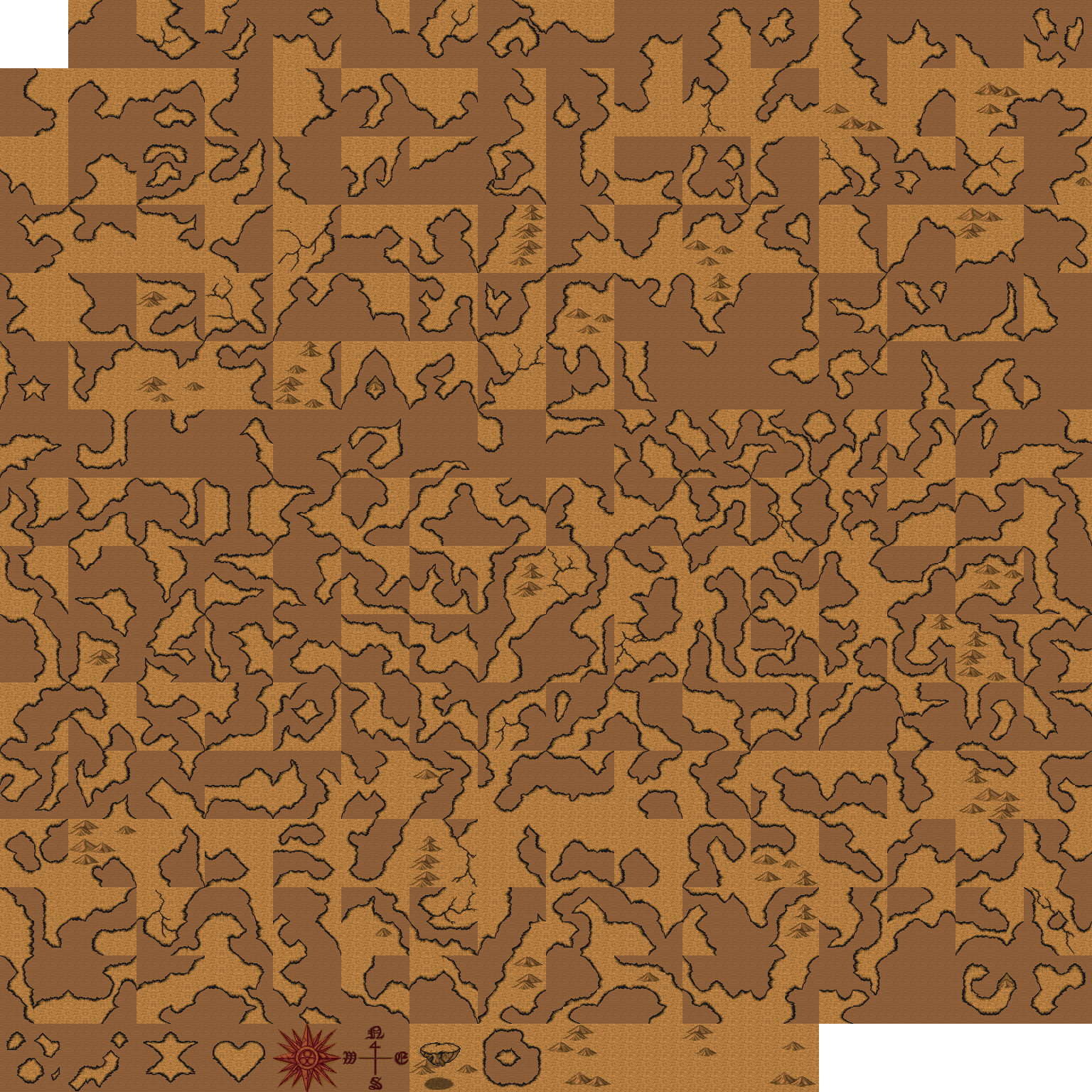
There is no passability on the field. The party only ever moves along paths, from town to town, so nothing on the map can block it. Mountains and seas are scenery; what matters is where you put the towns and which ones you join.
The top menu and the list#
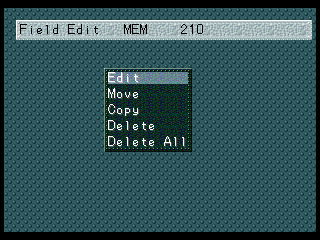
The top menu has Edit, Move, Copy, Delete and Delete All, with MEM, as in Dungeon Edit. The list holds the eight numbers on one page; each row shows the number, the name and the memory the map uses.
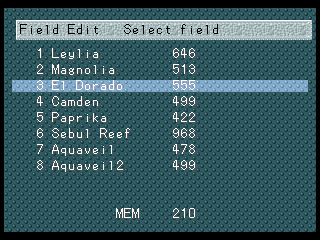
- × on an empty number opens a new map at once, named "New field", with nothing on it. There is no Sample or Custom to choose.
- Move, Copy, Delete and Delete All work on whole maps, towns and paths with them. Copy asks before overwriting, and greys the numbers a copy wouldn't fit into.
- Nothing changes the events that send the party to a field map: after a Move, a Move Location to field 3 still goes to field 3.
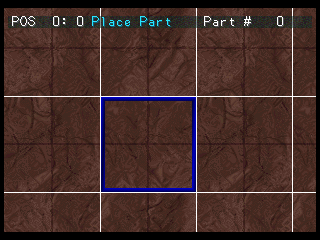
The editing screen#
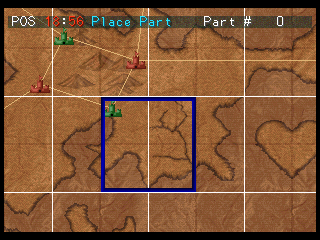 123456
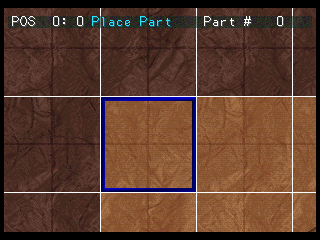
- 1 POS the cursor's tile; red while the cursor is not on a part cell
- 2 mode Place Part, Cut Start, Copy End, Paste…
- 3 Part # the part in the brush
- 4 cursor one part, 4 × 4 tiles
- 5 white frame a part line: a cursor across it does nothing
- 6 town the towns show while you edit
The cursor is one part wide but moves one tile at a time, a quarter of a part, so the view scrolls smoothly. The white lines mark the cells of the part grid. The cursor works only when it sits squarely in a cell: across a line, POS turns red and every button that would change the map does nothing. □ with the d-pad jumps to the next line, the quick way to line up.
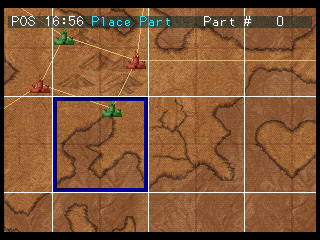
| Button | On the editing screen |
|---|---|
| d-pad | move the cursor one tile (a quarter of a part) |
| □ | jump to the next part line |
| × | place the brush on the part cell under the cursor; hold and move to paint |
| R1 / R2 | erase the part cell (to blank, not to sea); works only after × has been pressed once |
| SELECT | pick up the part under the cursor as the brush |
| START | Part Selection |
| L1 / L2 | auto-connect: find a part that fits the neighbours |
| △ | the menu |
| ○ | leave the map |
There is no Auto Fix and no memory check while you draw: parts cost nothing, because the grid is the same size however you fill it.
Placing parts#
START opens Part Selection: all 252 parts laid out as a map of their own, in a 16 × 16 grid with blue lines. Move to a part and press ×; Part # in the header shows which you are on. The cursor moves a tile at a time here too, and off a cell Part # shows a red dash and × does nothing.
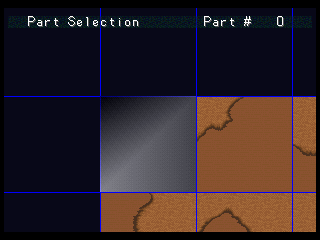
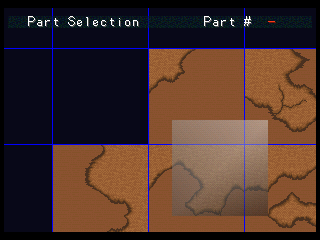
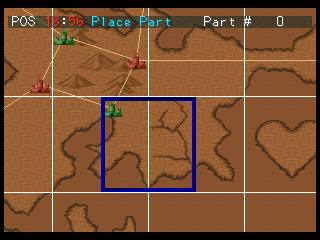
Back on the map, × places the part; hold it and move to paint. SELECT picks up the part under the cursor, which is the quick way to carry on a coast you started elsewhere. R1 or R2 erases a cell to blank.
Auto-connect#
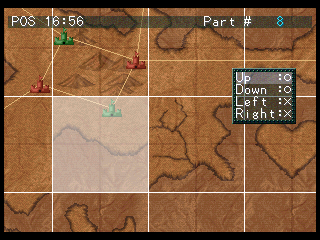
Which part fits next to a coast you have drawn? L1 (or L2) with the cursor in a cell asks the editor. A window lists the cell's four neighbours, Up, Down, Left and Right, and the editor puts a candidate part in the cell at once.
 123
- 1 neighbours for each side, ○ if the candidate fits the neighbour there, × if not, - at the map's edge; the bar marks the neighbour being matched
- 2 candidate the part offered; ← → for another
- 3 in place the candidate drawn in the cell
- ↑ and ↓ choose which neighbour to match; ← and → step through the parts that fit that neighbour. Next to a blank cell every part fits, so ← and → step through all 252.
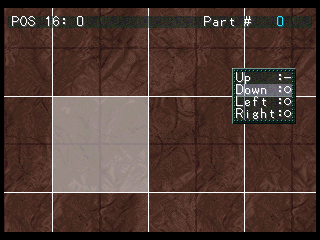
- Each side shows ○ if the candidate fits the neighbour on that side (a blank neighbour takes anything), × if it doesn't, and - where the cell is at the map's edge and there is no neighbour.
- × keeps the candidate in the cell and takes it as your brush; ○ puts the cell back as it was.
Cut, Copy and Paste#
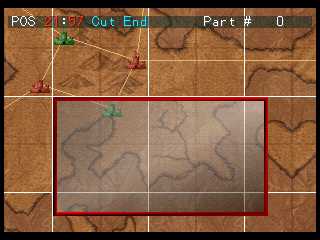
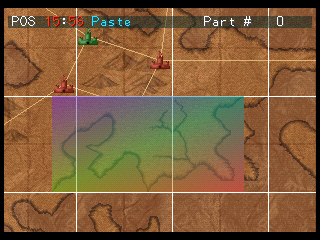
Cut and Copy in the △ menu take a rectangle of parts: × at the top-left cell, the d-pad to size it, × again. Cut leaves blank parts behind. Paste stamps the rectangle wherever you press ×, as often as you like. Unlike Dungeon Edit's, a field paste copies blank parts too: it overwrites the whole rectangle. A paste that hangs over the map's edge is clipped.
The △ menu#
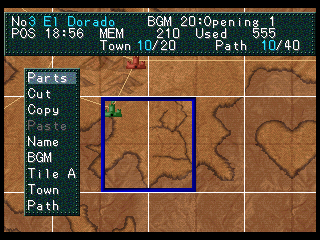
| Item | What it does |
|---|---|
| Parts | Part Selection, as START |
| Cut | lift a rectangle of parts, leaving blank parts behind |
| Copy | copy a rectangle of parts |
| Paste | stamp the clipboard; blank parts are copied too |
| Name | the map's name, up to 12 characters |
| BGM | the world map's music |
| Tile A / Tile B | switch between the parchment texture and the brown tint |
| Town | the town page: place and set up towns |
| Path | the path page: join towns with paths |
Name opens the keyboard on a 12-character field ("New field" opens empty), and BGM is the same picker as Dungeon Edit's: the music plays whenever the party is on this map (Music and sound).
Tile A and Tile B#
The map can be drawn two ways. Tile A lays a semi-transparent parchment texture, creased like an old map, over the whole field. Tile B leaves the texture off and tints each part brown. A new map starts on Tile A, and every one of Arc Arath's maps uses it. The menu row shows the current choice; × switches it.
Towns#
Town in the △ menu switches to the town page. Here the map shows its towns, the header counts them against the limit, and the cursor is one tile.
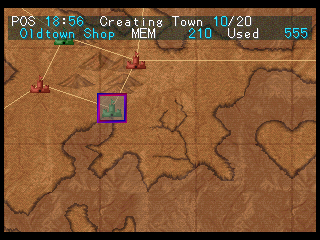
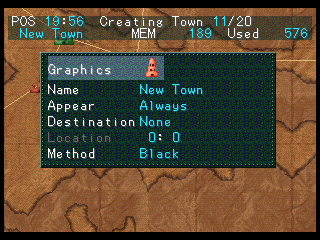
- × on an empty tile creates a town there and opens its settings. A town goes on any tile, whatever part is under it. There is no cancel: the town stays until you delete it.
- × on a town offers Change Data (its settings) or Delete Data (no confirmation).
- R1 and L1 jump to the next and the previous town.
- A town can't be moved. Delete it and make it again where you want it, then set it up again and redraw its paths.
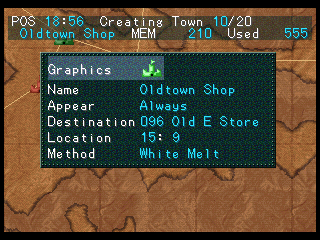
| Row | What it sets |
|---|---|
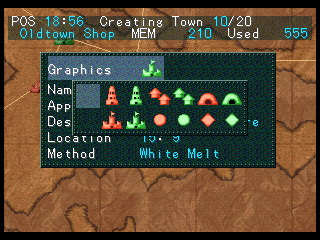
| Graphics | the town's icon: six shapes in two colours, or none (the picker always opens on none) |
| Name | up to 12 characters, shown in a balloon when the party arrives |
| Appear | Always, or only while a switch (1–500) is on |
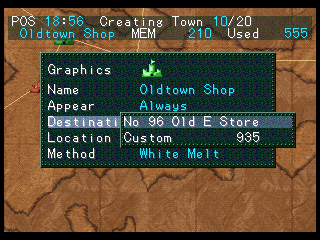
| Destination | the dungeon the town leads to, or none; changing it resets Location |
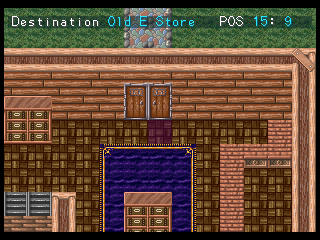
| Location | where the party arrives in that dungeon, chosen on the dungeon itself (□ moves five cells) |
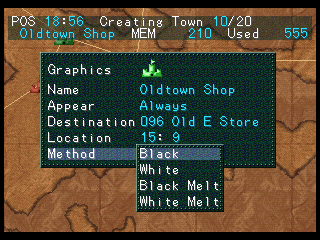
| Method | how the screen changes on the way in: Black, White, Black Melt or White Melt |
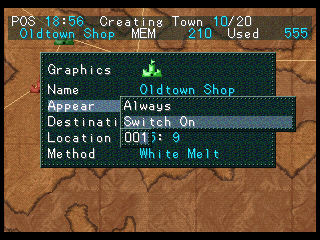
Appear lets the world open up as the story goes: a town set to a switch isn't drawn, and can't be travelled to, until an event turns the switch on (Events). Destination None makes a town the party can stand on but not enter.
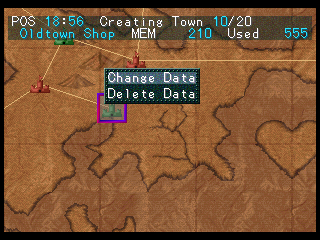
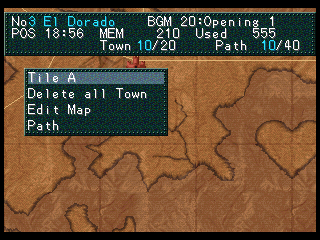
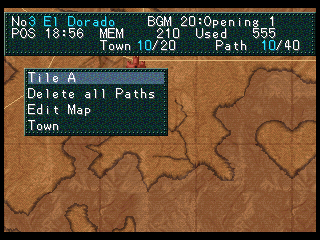
The town page's △ menu has Tile A/B, Delete all Town (every town and every path, at once and without asking), Edit Map (back to drawing) and Path. You can also leave the field straight from here with ○.
Paths#
Path in the △ menu, which needs at least two towns, switches to the path page.
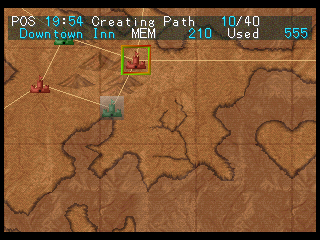
- × on the town where the path starts.
- Move to the other town and × again. A blank tile or the same town buzzes.
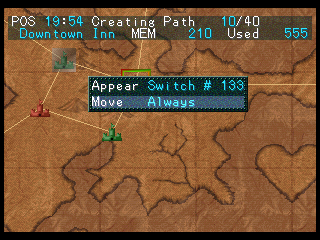
- A new path is drawn, and its Appear and Move settings open: Always, or a switch.
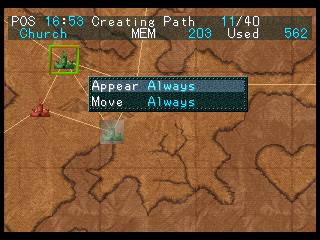
- Appear decides when the path is drawn on the map; Move when the party may walk it. A path can show before it opens: a bridge still being built.
- One path joins a pair of towns, either way round. Picking a pair that already has one offers Change Data or Delete Data (no confirmation).
- The header's "Path n/m" counts the paths and the most the memory allows.
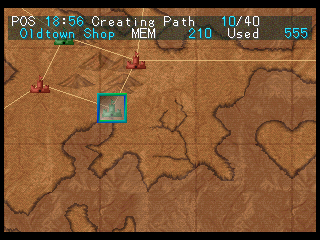
The path page's △ menu has Tile A/B, Delete all Paths (no confirmation), Edit Map and Town.
Leaving and saving#
○ on the map, the town page or the path page leaves the field. If anything changed, Update Data asks whether to keep it; Cancel throws the changes away. A new map you didn't touch is dropped without asking. Switching between Tile A and Tile B and back counts as no change.
How the world map plays#
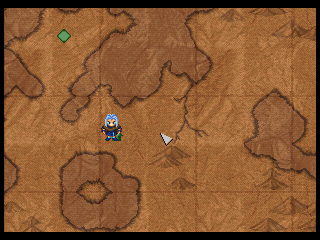
On a field map the party stands on a town, and a pointer moves freely over the map with the view following it (Playing a game):
- × on the party's own town goes in, to the town's Destination, with its Method. A town with no Destination buzzes.
- × on another town travels there, if that town is showing and:
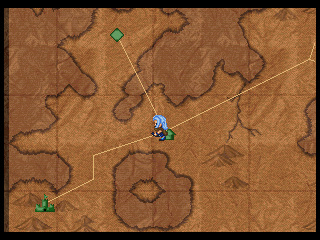
- a path joins the two towns and its Move setting allows it: the party walks, in a straight line, one pixel a frame;
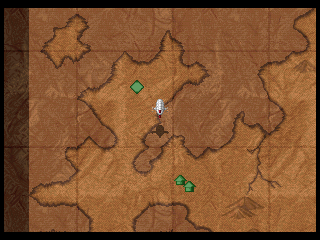
- otherwise, if the party carries a Blimp: it flies there, rising in an arc with its shadow below; the Blimp reaches any town that is showing;
- otherwise the buzzer sounds.
- □ opens the field menu, with Save. ○ brings the pointer back to the party.
- Arriving, the party faces down and the town's name shows in a balloon.
There are no random battles on a field map. Fights happen in the dungeons.
Getting onto the field takes an event. A town's Destination takes the party off the field; to bring it back, an event in the dungeon uses Move Location with a field map and a town (Events). Put one at every town's exit.
The boat, the Blimp and the open sea#
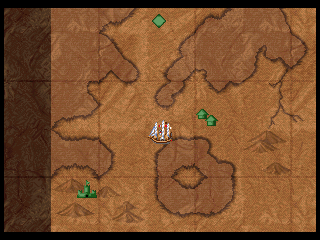
Paths ignore the land and the water under them: a path drawn across the sea is walked like any other. What the sea changes is the picture. If the party carries a boat, the boat is drawn instead of the party wherever the path crosses sea. The boat and the Blimp are Transport items in the Item editor, set to Boat or Blimp; the party only has to carry one.
Limits and memory#
| What | Limit |
|---|---|
| field maps | 8 (numbers 1–8) |
| a map | 16 × 16 parts, each 4 × 4 tiles: 1,536 pixels square |
| parts to choose from | 252, part 0 blank |
| towns on one map | 30, and 21 bytes each |
| paths on one map | 99, and 7 bytes each |
| paths between one pair of towns | 1 |
| name | 12 characters |
| cost of a map | 275 bytes, plus its towns and paths |
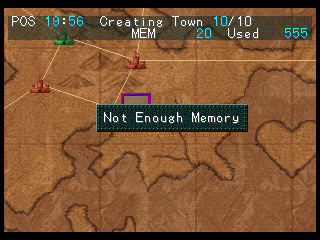
The parts cost nothing: a map costs 275 bytes empty or full. Each town adds 21 bytes and each path 7. The town limit is 30, or fewer if the free memory runs short; the path limit is 99, likewise. More numbers in Limits.