Covers Manual 1 pp. 53–56.
Monster Appearance#
Monster Appearance decides which monsters attack the party at random on each dungeon map, and how often. For every dungeon you mark out areas, give each area up to eight monsters and a Probability, and choose the dungeon's battle music. Its Battle Test fights those monsters with a party you pick, without leaving the editor. Battles started by events are set in the event itself (Events); the rules of the fight are in How battles work.
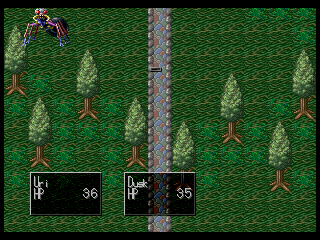
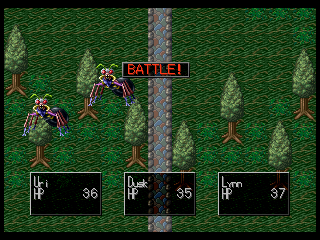
Areas and the two modes#
An area is a rectangle of a dungeon map with its own monsters and Probability. How areas are made depends on one setting for the whole game: the Monster Appearance row of GamePlay Edit, Auto or Manual.
- Auto: each dungeon has one area that covers the whole map. Monster Appearance opens straight on its menu. This is the simple choice, and Arc Arath's.
- Manual: you draw areas on the map yourself, up to 255 per dungeon, so a cave's deep end can hold stronger monsters than its mouth, and a town's streets none at all. On a cell outside every area, no battle starts.
The top menu and the list#
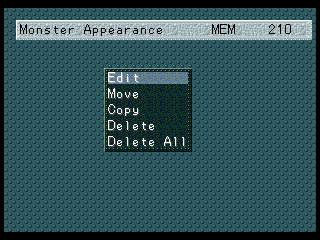
The top menu has Edit, Move, Copy, Delete and Delete All, with MEM. With no dungeons at all, everything is grey; while no dungeon has an area, only Edit can be chosen. The cursor comes back to the row you last used.
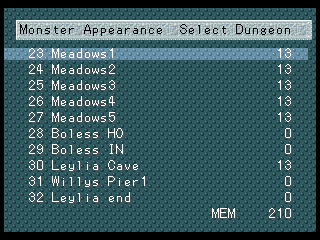
The list shows every dungeon number with its name and the memory its areas take. It scrolls like Dungeon Edit's list. Numbers without a dungeon show "No dungeon data" and can't be chosen: make the map in Dungeon Edit first.
Move, Copy, Delete and Delete All act at once on the stored data, and only between existing dungeons. They also carry, or lose, the dungeon's battle BGM:
| Command | Areas | Battle BGM | Asks first |
|---|---|---|---|
| Move | go to the other dungeon | lost | only if the destination has areas |
| Copy | copied to the other dungeon | copied | only if the destination has areas |
| Delete | removed | lost | always |
| Delete All | every dungeon's removed | every one lost | yes |
Auto mode#
Choose a dungeon and the area menu opens over its map, with four rows:
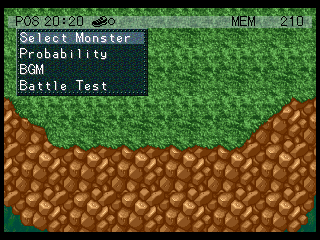
- Select Monster: the area's eight monster slots.
- Probability: how often battles come.
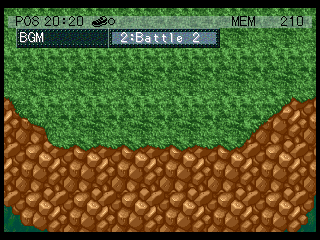
- BGM: the battle music for the whole dungeon.
- Battle Test: a test battle against this area (Battle Test).
Select Monster#
The eight slots show the monsters chosen, or "No Data". × on a slot opens the monster picker: the number and name, with HP and MP, and the monster's picture drawn over the darkened map once you pause on it.
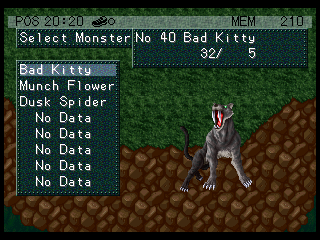
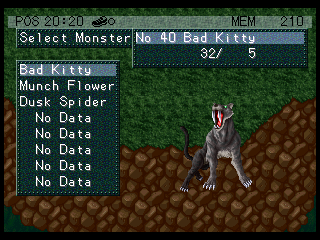
- ↑ is the next monster and ↓ the previous; → and ← go ten at a time, and with □ held 50 or 100.
- "Not selected" empties the slot.
- The list takes in every monster in the Monster editor, and monsters imported from Anime Maker (Anime Maker).
A slot is a chance, not a count. Each battle draws from the filled slots, each equally likely, so a monster put in two slots comes twice as often as one in a single slot. The order of the slots makes no difference.
Probability#
Ten columns run from Min to Max, labelled 0 1 - 2 - 3 - 4 - 5. The dashes are settings too: the steps half-way between the numbers. 0 means no battles at all. A new area starts on 3.
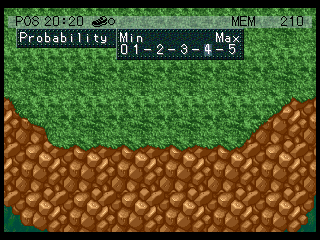
What the columns mean in steps is in The rates.
BGM#
The music for random battles on this dungeon, one for the whole dungeon whatever the area, chosen with the same picker as Dungeon Edit's (Music and sound).
Leaving#
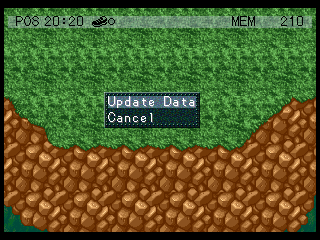
○ from the menu leaves the dungeon. If anything changed, Update Data asks whether to keep it; Cancel throws the changes away.
Manual mode#
In Manual mode the dungeon's map opens with a cursor. The areas already made pulse grey over it.
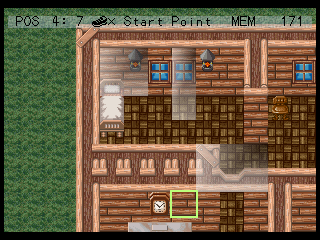 123456
- 1 POS the cursor's cell
- 2 passability as in Dungeon Edit
- 3 step Start Point, End Point, Menu or Command List
- 4 MEM free memory, 13 less for each new area
- 5 area an area: areas never overlap
- 6 cursor the cursor
Making an area:
- Move to a cell outside every area and press ×: that cell is the area's top-left corner ("Start Point").
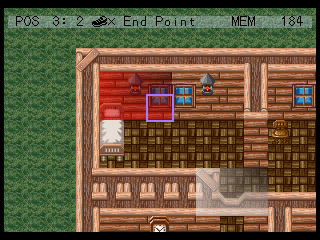
- Size it with the d-pad; the cursor is the bottom-right corner ("End Point"). The box is red while you choose, and it can't run into another area: areas never overlap.
- × sets it, and the area menu opens, the same as Auto mode's.
○ while sizing goes back to the start corner; ○ again drops the new area.
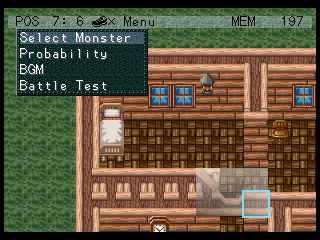
× inside an area opens its menu: monsters, Probability, the dungeon's BGM, Battle Test. △ on an area opens the Command List, with the area in yellow:
| Command | What it does |
|---|---|
| Cut Data | takes the area's monsters and Probability onto the clipboard and clears them; the rectangle stays |
| Copy Data | copies the monsters and Probability |
| Paste Data | gives this area the clipboard's monsters and Probability (grey while the clipboard is empty); the clipboard is kept |
| Delete Area | removes the area |
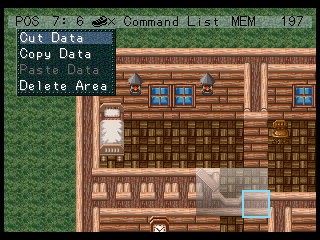
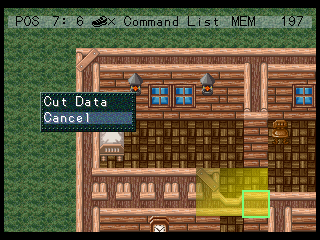
The clipboard holds monsters and a Probability, not a rectangle: copy a well-made area's line-up and paste it into its neighbours. It lasts only while you are in this dungeon. ○ on the map leaves, with Update Data if anything changed.
The rates#
Each step the party takes on a map with monsters can start a battle. The chance starts at nothing and grows with the number of steps since the last battle, or since arriving on the map. The first two steps after a battle are always safe; after that the chance climbs at step 3, 4, 8, 13 and 17, and then holds. Out of 256, for each column of the editor:
| Column | Steps 1–2 | Step 3 | Steps 4–7 | Steps 8–12 | Steps 13–16 | Step 17 on |
|---|---|---|---|---|---|---|
| 1 | 0 | 0 | 1 | 4 | 8 | 16 |
| – | 0 | 0 | 2 | 8 | 16 | 32 |
| 2 | 0 | 1 | 4 | 16 | 32 | 64 |
| – | 0 | 2 | 8 | 32 | 64 | 128 |
| 3 | 0 | 2 | 9 | 36 | 72 | 144 |
| – | 0 | 2 | 10 | 40 | 80 | 160 |
| 4 | 0 | 5 | 11 | 44 | 88 | 176 |
| – | 0 | 6 | 12 | 48 | 96 | 192 |
| 5 | 0 | 6 | 13 | 52 | 104 | 208 |
Worked out, those chances give these walks between battles:
| Column | Battles in this many steps: on average | 1 in 10 by | half by | 9 in 10 by |
|---|---|---|---|---|
| 0 | never | – | – | – |
| 1 | 28.0 | 13 | 24 | 49 |
| – | 19.6 | 10 | 18 | 30 |
| 2 | 14.8 | 8 | 15 | 21 |
| – | 11.7 | 7 | 12 | 17 |
| 3 | 11.3 | 6 | 11 | 17 |
| – | 10.9 | 6 | 11 | 16 |
| 4 | 10.4 | 5 | 10 | 15 |
| – | 10.1 | 5 | 10 | 15 |
| 5 | 9.9 | 5 | 10 | 14 |
Most of the range is at the low end. Column 1 means a battle every 28 steps or so, with a fair chance of a long quiet walk; from column 3 up, nine walks in ten end by the 17th step, and the settings above 3 hardly differ. A step takes a fifth of a second, 12 frames. For the full rules and their exceptions see How battles work.
Turning battles off. An event's Game System command can switch random battles off for the whole game and back on, for a cutscene or a safe zone (Events). The item effect Encounter Down gives 30 steps free of battles. In Test Play, Battle can be set to Off, and holding ○ while walking keeps monsters away (Playing a game).
Who comes#
When a battle starts, the line-up is drawn from the area's slots:
- How many: the party's size plus 0, 1 or 2, at most six. A party of four meets four to six monsters; a lone hero one to three.
- Which: a random number of them, at least one, are drawn from the filled slots, each slot equally likely. The rest are copies of the ones drawn. So a battle of five might be five different monsters, or one monster five times.
- Order: equal monsters are put side by side, and side-by-side equal monsters form a group for Group spells.
- Fit: the row must fit the screen. Each monster takes its width plus a small gap; at the first one that would not fit, it and all after it are left out. Two monsters 240 pixels wide never share a battle.
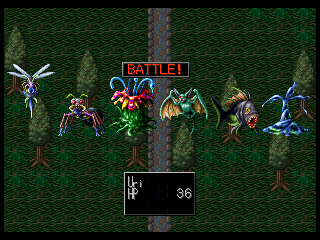
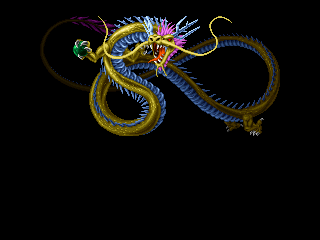
The monsters stand in a row across the middle of the screen, evenly spaced, their feet on one line. There is no battle background: the battle is drawn over the map the party was walking on, so a forest battle happens in the forest. The music is the dungeon's battle BGM.
Battle Test#
Battle Test on the area menu fights the area's monsters right away, with a test party you set up. Nothing about it touches the game's own party.
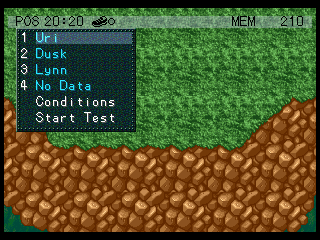
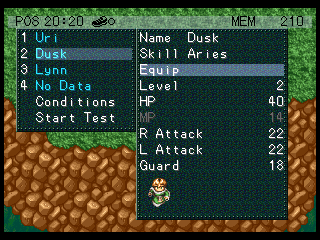 123456
- 1 party the four places in the test party
- 2 Conditions, Start Test the rules of the test, and the start
- 3 member the character and its skill; ← → for another
- 4 Equip, Level what it carries and how strong it is
- 5 numbers HP, MP, attacks and Guard at that level (MP grey: Magic is Not Used)
- 6 sprite the character walking
- Rows 1–4 are the party. × on one opens the member page: ← and → step through "Not selected" and every character, and ○ takes whoever is shown. A character already in the party is ignored.
- Equip opens the Equip window, to give the member weapons and armour.
- Level is two digits, set one at a time with ↑ and ↓; △ jumps between 99 and 1, and 0 isn't allowed.
- The page shows the member's HP, MP, R Attack, L Attack and Guard at that level with that equipment, and the character walks below.
- Conditions sets whether the party may use Magic (shown with the name from Parameter Name, "Spells" in Arc Arath) and Skill.
- Start Test begins the battle. It is grey until the party has a member and the area has a monster.
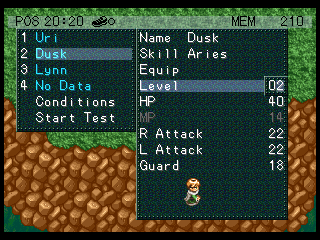
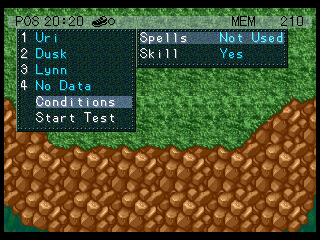
The test battle:
- uses the area as you have it now, even unsaved;
- draws a fresh line-up each time, by the rules above;
- starts the party at full HP and MP, with 50 of every item in the database;
- adds Data and Exit to the party's menu: Data shows every fighter's real numbers (How battles work), Exit ends the test ("Exit Battle Test..") and returns to the setup.
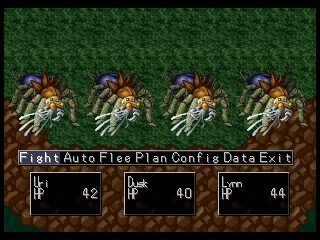
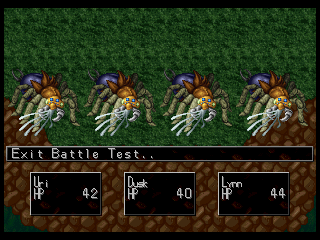
The test party is kept: each character's level and equipment are remembered and written into the System Data at once, with no Update Data and no warning. Save the System Data to keep them.
Memory and limits#
| What | Limit |
|---|---|
| areas in one dungeon | 255 (Manual mode); 1 in Auto mode |
| monster slots in an area | 8 |
| monsters in one battle | 6, and the row must fit the screen |
| Probability | 10 columns, 0 (never) to 5 |
| cost of an area | 13 bytes |
| battle BGM | one per dungeon |
Each area costs 13 bytes, from the same MEM as the rest of the System Data. While you draw areas in Manual mode, the header's MEM drops by 13 for each one, and a new area needs 13 bytes free. A dungeon's own small record is paid for by Dungeon Edit when the map is made. More numbers in Limits.